
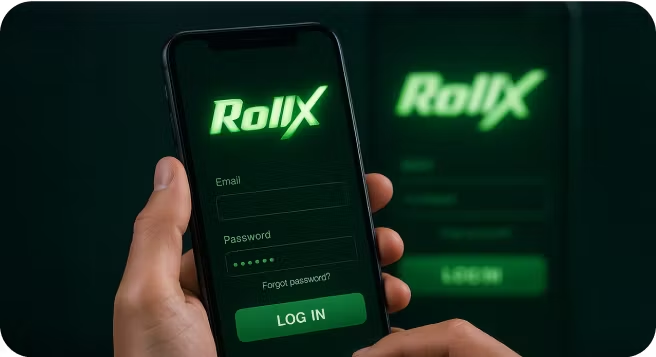
Roll X Game Login

| 🕐 Reading Time | ⭐ Rating | 👁️ Popularity |
|---|---|---|
| 2 minutes | 4.2 ⭐⭐⭐⭐ | 821 views |
Roll X is an exciting online casino game that combines chance and strategy, making it a popular choice for both new and experienced players. Creating an account and logging in properly are essential first steps to access this popular game and start playing without delays. However, many players struggle with the login process, especially when switching between devices or after taking a break from playing, which leads to frustration before the game even begins. This can be particularly irritating when you're eager to jump into the action.
In this guide, we'll walk you through everything you need to know about Roll X login on Odds96, from creating your account to troubleshooting common login problems. We'll also compare mobile and desktop login experiences to help you choose the best option for your gaming style. By the end of this post, you'll be able to access Roll X smoothly and focus on what really matters — enjoying the game.
Table of Contents
- How to Create an Account for Roll X
- Steps to Log In to the Roll X Game
- Troubleshooting Roll X Login Issues
- Logging in via Mobile vs Desktop
- FAQ
How to Create an Account for Roll X
Getting started with Roll X on Odds96 only takes a few minutes. If you follow these steps, you’ll have your account ready and can jump right into the game.
Visit the Odds96 website. Open your browser and type in the official Odds96 address. This ensures you land on the correct site for Roll X account login and other features.
Click the “Sign Up” button. You’ll spot this at the top right corner of the homepage. Clicking it brings up the registration form for new users.
Fill in your details. Enter your email address, create a strong password, and provide any other information requested. Make sure you use accurate details to avoid issues with Roll X sign-in later.
Agree to the terms and conditions. Before you can complete your registration, you’ll need to check the box confirming that you accept Odds96’s terms. Take a moment to read them so you know what you’re agreeing to.
Submit the registration form. Once you’ve double-checked your details, hit the submit button. Odds96 will process your information and create your Roll X user login.
Verify your email or phone number. Odds96 may send you a verification link or code. Follow the instructions to confirm your account and unlock full access to the Roll X game login page.
Once you’ve finished these steps, your account is ready for use. Next, let’s look at how you can log in to the Roll X game.
Steps to Log In to the Roll X Game
Once your account is set up, logging in to play Roll X casino game on Odds96 is a breeze. The process is straightforward, whether you’re using a desktop or your mobile device. Here’s how you can access the Roll X game login page and start playing right away.
Go to the Odds96 website: Open your preferred web browser and visit the official Odds96 site. You’ll see the login option clearly displayed, making it easy to get started.
Click on the "Login" button: Look for the login button, typically located in the top right corner of the homepage. Clicking this will take you to the account login form.
Enter your Roll X user login details: Type in the email address or phone number and password you used during registration. Double-check your details to avoid any Roll X login problems.
Solve the captcha if prompted: Sometimes, Odds96 may ask you to complete a simple captcha. This step helps keep your Roll X sign in secure and prevents automated bots from accessing accounts.
Click "Sign In" to access your account: After entering your details and solving the captcha, hit the sign-in button. You’ll be taken straight to your dashboard, where you can find the Roll X game and start playing.
With these steps, you can log in to Roll X on Odds96 without hassle. Up next, let’s look at what you can do if you run into any login issues.
Troubleshooting Roll X Login Issues
Even with a simple login process, you might occasionally face some hiccups when trying to access your Roll X account on Odds96. Don't worry — most Roll X game login problems have quick fixes. Let's go through some common issues and their solutions.
Forgotten password: If you can't remember your password, click on the "Forgot Password" link on the Roll X login page. Odds96 will send you an email with instructions to reset your password. Check your spam folder if you don't see the email in your inbox within a few minutes. The reset process is usually quick, allowing you to create a new password and regain access to your account.
Account locked: Too many failed login attempts can temporarily lock your account for security reasons. If you see a message stating that your account is locked, wait approximately 30 minutes before trying again. For persistent issues, contact Odds96 customer support through their live chat or email. They can help unlock your account after verifying your identity.
Browser issues: Sometimes, outdated browsers or cached data can cause Roll X login problems. Try clearing your browser cache and cookies, then restart your browser before attempting to log in again. If that doesn't work, try using a different browser altogether to see if the issue persists.
Internet connection problems: A weak or unstable internet connection can interrupt the login process. Check your connection by opening another website. If other sites are loading slowly too, try resetting your router or switching to a different network before attempting to log in to Roll X again.
Website maintenance: Occasionally, Odds96 may perform maintenance on their platform, which can cause temporary login issues. Check their social media accounts or contact customer support to confirm if there's scheduled maintenance. Typically, these periods are announced in advance and are brief.
Device compatibility: Some older devices might not fully support the Odds96 platform. If you're experiencing issues with Roll X login on an older device, consider updating your operating system or switching to a newer device, if possible.
Incorrect login credentials.
Double-check that you're entering the correct email address and password. Remember that passwords are case-sensitive. If you're sure your credentials are correct but still can't log in, it might be time to reset your password.
Now that we've covered how to troubleshoot common login issues, let's compare the experience of accessing Roll X on mobile devices versus desktops to help you choose the best option for your gaming style.
Logging in via Mobile vs Desktop
The way you access Roll X on Odds96 can shape your gaming experience. Both mobile and desktop options offer unique advantages depending on your preferences and situation. Let's compare these two methods to help you decide which works best for you.
| Feature | Mobile Login | Desktop Login |
|---|---|---|
| Convenience | Access Roll X anytime, anywhere; play on the go | Best for steady setup; ideal for longer sessions at a fixed place |
| User Experience | Touch-friendly interface; easy tap and swipe navigation; simplified layout | More detailed layout; easier multitasking and full feature access |
| Speed and Performance | Fast but depends on device and internet; older phones may lag | Generally smoother performance with strong hardware and stable internet |
| Security | Fingerprint/Face ID support for extra security | Password-based login with optional two-factor authentication |
| Notifications | Instant alerts for updates and promotions | May miss alerts unless site is kept open |
Mobile login shines when you're on the move or want to quickly check your Roll X account. The Odds96 mobile site works smoothly across different devices, making the Roll X mobile login process straightforward. You can save your login details for faster access; however, always be cautious when using this feature on shared devices.
Desktop login provides a more immersive experience with Roll X game online. The larger screen gives you a better view of the action, and you'll appreciate the extra space when navigating through different games on Odds96. Desktop users also benefit from more stable connections, which can be crucial during intense gaming sessions.
Whether you prefer the portability of mobile or the comfort of desktop, Odds96 has optimized the Roll X login experience for both platforms. You might even find yourself switching between them depending on your situation—perhaps using mobile during your commute and desktop when you're home for longer gaming sessions.
Final Thoughts
Getting started with Roll X on Odds96 doesn't need to be complicated. With the simple account creation process, straightforward login steps, and quick fixes for common issues, you can focus on enjoying the game rather than wrestling with technical problems. Whether you prefer playing on your phone during your commute or settling in for a longer session on your desktop, Odds96 has made sure the experience is smooth and user-friendly. So go ahead and try Roll X today—your next big win might be just a login away.
FAQ
How do I log in to the Roll X game?
Visit the Odds96 website, click on the "Login" button, and enter your registered email, phone number, or social account credentials to access your Roll X account.
What should I do if I forget my Roll X password?
Use the "Forgot Password" option on the login page, then follow the instructions to reset your password by confirming a code sent to your email or phone number.
Can I log in to Roll X with my mobile number?
Yes, you can log in to Roll X using your mobile number by entering it along with your password on the Odds96 login page.
Is it safe to stay logged in to Roll X?
It's best to log out after each session, especially on shared or public devices, to keep your Roll X account secure.
Why can't I log in to my Roll X account?
Login issues can occur due to incorrect credentials, forgotten passwords, technical glitches, or account verification problems. Double-check your details and contact Odds96 support if problems persist.
What else can you read about Roll X
Roll X Game Download
A step-by-step guide on how to download the Roll X casino app, including APK installation tips and compatibility requirements for Android users.Roll X Demo Game
Learn how to access and use the Roll X demo mode to practice gameplay, test strategies, and build confidence before betting real money.Can You Really Win Real Money Playing Roll X Casino Game? An in-depth look at how Roll X works, its odds, and whether it truly offers a chance to win real cash.
Roll X Game Real or Fake A detailed guide to spotting genuine Roll X platforms versus scam versions.
Roll X Game Online Tips & Tricks Practical strategies and insider tips to improve your chances while playing Roll X online.