
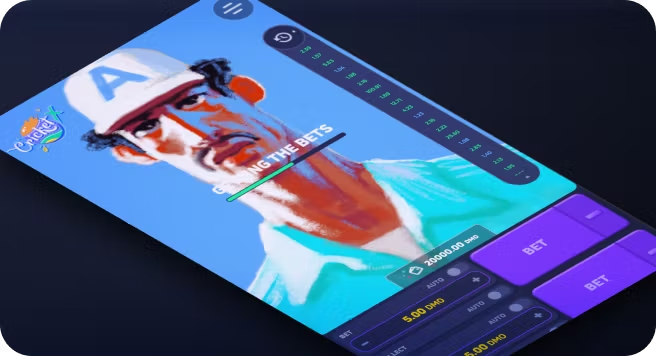
Cricketx App Download

| 🕐 Reading Time | ⭐ Rating | 👁️ Popularity |
|---|---|---|
| 3 minutes | 4.2 ⭐⭐⭐⭐ | 784 views |
CricketX game has quickly become one of the standout titles in online cricket betting, thanks to its simple crash-style gameplay, quick rounds, and strong mobile optimisation for Indian users. With high RTP values reported in the 94–98.9% range and support for low minimum bets in rupees, it appeals to both cautious bettors and high-risk takers looking for flexible stakes and fast decisions. That mix of accessibility, speed, and cricket-themed visuals makes the game especially attractive during busy tournament seasons, when mobile gaming activity can jump by 30–40% across the country at casino app download.
At the same time, new users often struggle with where to play the game safely, how to access it on mobile without Google Play, and which apps or platforms they can actually trust with deposits and withdrawals.
Getting Started with Cricketx App Download
The Cricketx game has gained serious traction among online cricket betting fans in India. Before you get started, there's one thing you need to know about where and how to get it.
Is the Cricketx App Available on Google Play?
No, the Cricketx app isn't available on Google Play. Like most online cricket betting platforms, the Odds96 Cricket X app can't be listed on the Google Play Store due to the platform's restrictions on real-money gambling apps. You won't find it there, so don't waste time searching.
The good news? You don't need the Play Store at all. The Odds96 app gives you full access to Cricket X and all other casino games directly from your Android device, and it's completely free to download from the official Odds96 website.
With that cleared up, let's walk through exactly how to get the app on your phone.
How to Download the Cricketx APK?
Downloading the Odds96 Cricket X app is straightforward. Just follow these steps:
Visit the official Odds96 website on your Android device.
Log in to your account. Don't have one yet? Signing up is free and takes just a minute.
Tap the Odds96 App button on the site.
Hit the Download Now button to start pulling down the APK file.
Head over to your phone's settings and turn on the "Installation from Unknown Sources" option. This step is necessary since the app isn't from the Play Store.
Once the download completes, tap the APK file to kick off the installation.
Open the app and start playing.
Now that you've got the app installed, let's take a closer look at what the Odds96 app actually offers and whether it's safe to use.
Understanding the Cricketx App Features and Safety
The Odds96 app packs a lot into a lightweight package. Here's a clear breakdown of what you're getting and whether it's safe to use.
Is the Cricketx App Safe and Official?
Yes, the Odds96 Cricket X app is safe to use. All casino games on the platform, including Cricket X, run on licensed software confirmed by the respective game providers. The app is officially distributed through the Odds96 website, so as long as you download it from there, you're not exposing your device to any risk.
The only thing to keep in mind is that enabling "Installation from Unknown Sources" is a one-time step required for any APK downloaded outside the Play Store. It doesn't compromise your phone's security when the source is a verified platform like Odds96.
What are the Key Features of the Cricketx App?
The Odds96 app covers sports betting, live casino, and online cricket betting all in one place. Here's a quick look at what stands out:
| Feature | Details |
|---|---|
| App Size | 30 MB |
| Supported OS | Android 9.0 and above |
| Languages | English and Hindi |
| Sports Coverage | 30+ sports, 1,000+ events |
| Casino Games | 1,000+ slots, table games, live dealers |
| INR Support | Yes, full Indian Rupee support |
| Cost | Free to download |
| iOS Support | Web version available |
The interface adapts automatically to your screen size, making it easy to navigate with one hand. The app also updates automatically whenever a new version drops, so you're always on the latest build.
Now that you know what the app offers, let's talk about getting money in and out.
Payment and Withdrawal Options for Indian Users
Odds96 keeps things simple for Indian players with a solid range of local and digital payment options. Whether you prefer traditional banking or crypto, there's something for you.
What Payment Methods Work in India?
The Odds96 app supports all major Indian payment systems. All deposits are processed instantly, and withdrawals take an average of 48 hours with zero transaction fees.
UPI - One of the most popular options for Indian users.
PayTM - A widely used digital wallet in India.
Netbanking - Suits users who prefer direct bank transfers.
IMPS - Ideal for instant bank-to-bank transfers.
RuPay - A homegrown Indian card network.
Cryptocurrency - For crypto users, Odds96 accepts Bitcoin, Ethereum, Litecoin, and Tether.
With payments sorted, let's move on to fixing common issues you might run into with the app.
Troubleshooting and Account Management
Even a smooth app like the Odds96 Cricket X app can occasionally run into a snag. Here's how to fix the most common issues quickly.
What if the APK Doesn't Install?
Most installation failures come down to a handful of simple causes. Check these first before assuming something is seriously wrong:
Unknown Sources not enabled - Go to Settings, then Apps, then Special App Access, and turn on "Install Unknown Apps" for the browser or file manager you used to download the APK. Without this, Android will block the installation outright.
Corrupted or incomplete download - Delete the APK file and re-download it fresh from the official Odds96 website. A partially downloaded file won't install correctly.
Not enough storage - The Odds96 app needs around 30 MB of installed space. Clear some unused apps or media if your device is running low.
Incompatible Android version - The app requires Android 9.0 or above. Check your current version under Settings, then About Phone.
Now, even after a clean install, you might find the app isn't behaving as expected. Here's what to do.
Why is the App Not Working on My Phone?
A weak internet connection is the most common reason the app acts up. Switch between Wi-Fi and mobile data to rule that out first.
| Issue | Likely Cause | Fix |
|---|---|---|
| App crashes on launch | Outdated version | Re-download the latest APK from Odds96 |
| Games not loading | Poor connectivity | Switch to a stronger network |
| Login not working | Cache conflict | Clear app cache from phone settings |
| Slow performance | Old Android version | Update your device software |
| App not opening | Corrupt install | Uninstall and reinstall the APK |
If none of the above steps sort things out, Odds96's live support team is available directly through the app. Just tap the Live Support button on the main page and describe your issue.
Conclusion
Getting the Cricketx app up and running on your Android device is a straightforward process once you know where to look. The Odds96 app brings Cricket X and hundreds of other casino games to your fingertips, backed by secure payments, local currency support, and reliable customer service.
Most common issues you'll encounter during setup or daily use have simple fixes, as covered in the troubleshooting section above. With the right steps in place, you can focus on what actually matters, which is enjoying the game.
FAQ
How do I download the Cricketx app in India?
Visit the official Odds96 website, log in or register, tap the App button, and download the APK file directly to your Android device.
Is the Cricketx app available on Google Play?
No, the app isn't listed on Google Play due to platform restrictions on real-money gaming apps. You can only download it from the official Odds96 website.
Can I install the Cricketx app on iPhone/iOS?
A dedicated iOS app isn't available yet, but iPhone users can access Cricket X through the Odds96 PWA (Progressive Web App) version, which works smoothly on most Apple devices.
How do I register after download?
Open the Odds96 app, tap the Sign Up button, fill in your details, and verify your account to get started.
What bonuses are available for new users?
New users on Odds96 can claim a welcome bonus on their first deposit, along with free spins and a weekly 15% cashback offer.
How do I make a deposit in India?
Log into your Odds96 account, go to the Payments section, choose your preferred method, enter the amount, and confirm the transaction.
What payment methods work in India?
Odds96 supports UPI, PayTM, IMPS, Netbanking, RuPay, and major cryptocurrencies, all with zero transaction fees.
How do I withdraw winnings?
Open the app, go to the Payments page, select Withdrawal, pick your preferred method, enter the amount, and confirm. Withdrawals process within 10 minutes to 48 hours.
What if the APK doesn't install?
Enable "Installation from Unknown Sources" in your phone settings, then re-download the APK fresh from the Odds96 website and try again.
Why is the app not working on my phone?
Check your internet connection first, then clear the app cache or reinstall the APK. If the problem continues, reach out to Odds96's live support directly through the app.
What else can I read related Cricketx game?
We've prepared Cricketx theme articles to help new and regular casino players dive into this game:
How to play cricketx online on Odds96 and win?;
Cricketx game tricks online from regular players of our casino;
Cricketx online bonus and promo codes with 51 Bonus from Odd96.
Know more about game provider Cricketx Smartsoft.