
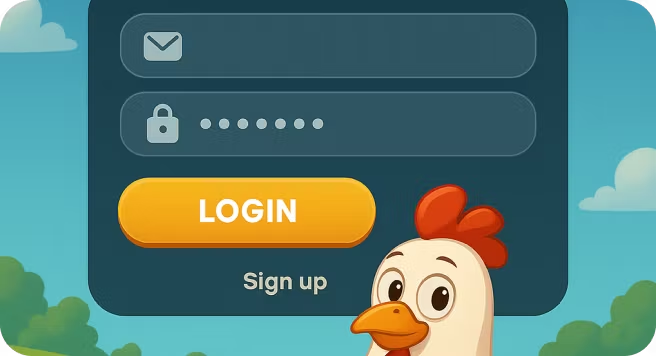
Chicken Road Game Login

| 🕐 Reading Time | ⭐ Rating | 👁️ Popularity |
|---|---|---|
| 3 minutes | 4.2 ⭐⭐⭐⭐ | 917 views |
Since its 2024 release, Chicken Road has captured the attention of gamers around the world thanks to its simple yet addictive gameplay. Developed by InOut Games, the game puts you in control of a brave chicken crossing busy traffic lanes, where each successful step multiplies your winnings. The thrill comes from the constant tension; hesitate too long and you lose potential profit, move too fast and you risk instant elimination. With no complicated rules, the game delivers a perfect mix of simplicity and suspense, keeping players hooked as they decide when to cash out before the inevitable crash. But here's the harsh reality: many new players struggle with the initial setup process, often getting confused about login procedures, account verification requirements, or technical issues that prevent them from accessing the game smoothly. These barriers can be frustrating, especially when you're eager to start playing and competing with friends or chasing personal records.
To help with this, the guide ahead explains everything you need to access Chicken Road on the Odds96 platform without any hassles. From the fastest login methods to mobile shortcuts that work like magic, and bulletproof solutions to every common technical hiccup that frustrates new players. By the time you finish reading, you’ll be ready to jump straight into the action while others are still stuck trying to set things up.
Table of Contents
Accessing Chicken Road: Direct Browser vs Home-Screen Shortcut
You have two convenient ways to play the Chicken Road crash game on the Odds96 platform, neither of which requires a download from an app store. You can either play directly through your mobile browser for instant access or create a home-screen shortcut that works just like a dedicated app. Both methods offer different benefits depending on your gaming preferences and device capabilities.
Direct Browser Access: Playing through your browser gives you immediate access without any setup. You simply visit the Odds96 website, log in to your account, and start playing. This method works across all devices and operating systems without requiring any downloads or installations.
Home-Screen Shortcut Method: Creating a home-screen shortcut transforms your browser experience into something that feels like a native app. You can add Chicken Road to your home screen through your browser menu, giving you one-tap access to the game which is perfect if you play frequently.. This approach combines the convenience of app-like access with the flexibility of browser-based gaming.
To help you decide, here’s a quick comparison of the pros and cons for each method:
| Feature | Direct Browser Play | Home-Screen Shortcut |
|---|---|---|
| Ease of Access | You navigate to the site each time you want to play. | Provides one-tap access directly to the game from your home screen. |
| Installation | No installation or storage space is used on your device. | No installation needed, but requires a one-time setup to add the shortcut. |
| Device Storage | Takes up zero space as it runs within your browser. | Uses no significant storage, as it's just a link to the website. |
| Updates | You automatically get the latest version every time you play. | Always loads the current version from the website, no manual updates needed. |
| Performance | Depends on your browser and internet connection. | Can feel slightly faster since it launches the game page directly. |
The choice between these methods depends on how frequently you plan to play and your personal preferences. Regular players often prefer the shortcut method for its convenience, while occasional players might find direct browser access sufficient for their needs.
Login Steps: Using Registered Account, Email or Social Connect
Getting into your Chicken Road game session through Odds96 is straightforward once you understand the different login options available. The platform offers multiple ways to access your account, making it convenient for users who prefer different authentication methods. Whether you registered with an email, phone number, or social media account, the login process remains simple and secure.
Standard Account Login: Start by navigating to the official Odds96 website or opening the mobile app on your device. Look for the "Login" button, which typically appears in the top corner of the homepage. Click on this button to open the login window where you'll enter your credentials.
Alternate Login Options: The platform allows you to log in using various methods - your email address, phone number, or connected social media accounts. Select your preferred login method from the options provided, then fill in all the required information in the login form. Make sure your details match exactly what you used during registration to avoid any access issues.
Completing Your Login: Once you've entered your credentials correctly, click the "Login" button to complete the process and access your account. The system will verify your information and redirect you to your dashboard where you can access Chicken Road and other available games.
For new users who haven't created an account yet, you'll need to complete the registration process first, which includes verification steps to ensure secure account access. After successful login, you can browse the casino section and search for "Chicken Road Game" to start playing.
With your account access sorted, let's explore how to make Chicken Road even more accessible by adding it to your mobile device's home screen.
Mobile Setup: Adding Chicken Road to Home Screen (Android & iOS)
You don’t need to download an app to play Chicken Road on Odds96. Adding a shortcut to your home screen provides a secure, app-free Chicken Road access right at your fingertips. This simple setup makes launching the crash game easier and faster on any mobile device.
For Android Users: Open your Chrome browser and navigate to the Odds96 website. Once you've logged in, find the "Add to Home Screen" option in your browser’s menu. Tapping this will create a shortcut icon on your home screen, giving you direct access to the game.
For iOS Users: If you're using an iPhone or iPad, open Safari and go to the Odds96 site. After logging in, tap the "Share" button at the bottom of the screen. From the share menu, select "Add to Home Screen" to create an icon that links directly to the Chicken Road game.
Creating a mobile shortcut is a great way to streamline your gaming experience, combining the ease of app-like access with the flexibility of browser-based play. This ensures you can jump into the action quickly whenever you want.
Next, let’s look at what you can do if login or loading issues come up so you always stay connected.
Troubleshooting: What to Do If Login Fails or Game Won't Load
Even the most reliable platforms can experience occasional hiccups, and Odds96 is no exception. You might run into login problems or loading issues while trying to access Chicken Road, but most of these problems have simple solutions. Here are some of the most common issues that users frequently encounter and how to solve them quickly:
Incorrect Login Details: The most frequent reason for a failed login is a simple typo in your email or password. Double-check that you've entered everything correctly. If you've forgotten your password, use the "forgot password" link on the Odds96 login page to reset it. You'll typically receive instructions via email to set a new password.
Account Verification Issues: Odds96 requires you to complete a KYC (Know Your Customer) verification process before you can fully use your account, including making withdrawals. If your login is restricted, it might be because your verification is incomplete or has failed. Make sure you've submitted clear and valid documents as requested and allow for the processing time, which can sometimes take a few days.
Blocked or Restricted Account: In some cases, an account might be blocked, often due to security reasons such as suspected duplicate accounts or violation of terms. If you believe your account has been blocked by mistake, you should immediately contact the Odds96 customer support team to understand the reason and see what steps you can take to resolve it.
Password Recovery Code Not Arriving: If you're trying to reset your password but aren't receiving the recovery code, first check your email's spam or junk folder. Also, confirm that you are checking the correct email address or phone number associated with your Odds96 account. If the code still doesn't arrive after a few minutes, there might be a delay, or you may need to contact support for manual assistance.
Game Fails to Load After Login: Sometimes you can log in successfully, but the Chicken Road game gets stuck on a blank or loading screen. This is often a browser-related issue. The first step is to clear your browser's cache and cookies. If that doesn't work, try disabling any ad-blockers, using a different browser, or checking your internet connection to ensure it's stable.
Deposit Not Showing in Account: Payments are usually processed instantly, but can take up to an hour depending on your payment method. If your deposit hasn't appeared after this timeframe, contact support immediately with your transaction details. Keep your payment confirmation handy, as support will need this information to track your deposit.
Remember that Odds96 offers round the clock customer support through live chat, email, WhatsApp, and Telegram. Their live chat typically responds within minutes, making it the fastest way to resolve urgent login troubleshooting crash game issues and get back to playing Chicken Road safely. By following these simple steps, you can tackle most technical difficulties and enjoy an uninterrupted Chicken Road experience.
Wrapping Up
Getting started with Chicken Road on Odds96 doesn't require any complex setups or lengthy downloads. Whether you choose direct browser access or create a convenient home-screen shortcut, you'll have secure and reliable entry to one of the platform's most popular offerings. The troubleshooting steps we've covered should handle most common issues you might face along the way. With these login methods and solutions in hand, you're ready to enjoy a smooth gaming experience whenever you want to play.
FAQ
How do I log into the Chicken Road game?
Visit the Odds96 website, click the login button, and enter your registered email and password to access your account. Once logged in, find Chicken Road in the casino section and click to start playing.
Do I need to register an account before logging in?
Yes, you must create an account on Odds96 first before you can log in and play Chicken Road. Registration requires basic details like email, phone number, or you can sign up through social media accounts.
Is there a dedicated app or do I play via a browser?
You can play Chicken Road directly through your browser on the Odds96 website without downloading any dedicated app. For mobile users, you can also add a home screen shortcut for quicker access or download the Odds96 app.
How can I add Chicken Road to my home screen on mobile?
Open Chicken Road in your mobile browser, tap the menu (three dots on Android or share icon on iOS), then select "Add to Home Screen." This creates an app-like shortcut for instant access without downloading anything.
What should I do if login keeps failing or the screen is blank?
First, check your internet connection and clear your browser cache, then try disabling ad-blockers or using a different browser. If problems continue, contact Odds96 support through live chat or email [email protected] for assistance.
What Else Can You Read About Chicken Road
Why Did the Chicken Cross the Road
Dive into the origins, mechanics, and addictive appeal of Chicken Road — a quirky crash-style game that’s more than just poultry-themed fun.Chicken Road App
Get the full breakdown of the Chicken Road mobile app, its unique features, and how to download and win on the go.Chicken Road Game Real or Fake
Explore whether Chicken Road really pays out or is just another clickbait game with flashy promises and questionable rewards.Chicken Road Game Demo
Try the Chicken Road demo risk-free, understand gameplay mechanics, and see if it’s worth the leap before playing with real money.Chicken Road Guide From beginner basics to advanced strategies, this ultimate Chicken Road guide helps you cross smarter and win bigger on Odds96.
Original Chicken Road Game Among the many titles available, Chicken Road by InOut Games has carved out its own space by combining the familiar crash format with a lighthearted road-crossing theme that instantly feels different from the rest.
Chicken Road Game Is Safe Or Not When it comes to InOut Games Chicken Road safety, players often ask whether the game is truly fair or just another risky online title.
Chicken Road Game Download & Earn Money Guide If you’ve been scrolling through gaming forums or social media recently, chances are you’ve heard about Chicken Road.